
Power BI Dashboard Template Guide
Best Power BI Dashboard Templates for Sales, KPI & Executive Reporting
Compare Power BI dashboard templates for sales reviews, KPI tracking, executive reporting, and weekly business reviews. Explore interactive previews and find layouts built for real business use — not just good-looking screenshots.
Built for teams that need Power BI dashboards they can review, present, and actually use during KPI meetings.
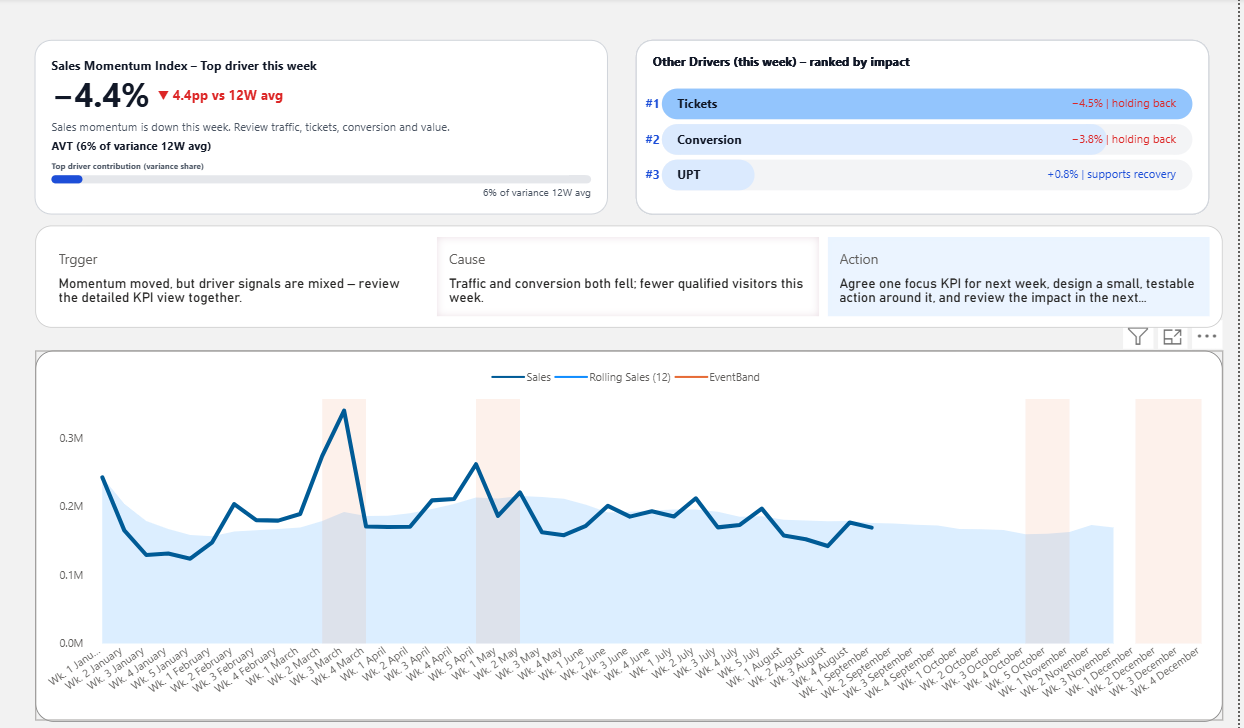
Many Power BI dashboard templates look impressive in screenshots, but become difficult to use once real meetings begin.
A useful template should help people review sales performance, understand KPI movement, and explain business results without reopening Excel during the meeting.
This guide compares Power BI dashboard templates by use case — sales, KPI tracking, executive reporting, and weekly reviews — so you can choose a layout that fits how your team actually works.
Try the Power BI dashboard before you choose it
Many template pages only show screenshots. But screenshots do not always tell you whether a dashboard will work in a real meeting. Use the interactive preview below to see how the sales dashboard layout feels before choosing a template.
Interactive preview of the Power BI sales dashboard template.
Best Power BI Dashboard Templates: Quick Picks
If you are comparing Power BI dashboard templates, start with the business use case first. The best template is not always the most visually complex one. It is the one that makes performance easier to review, explain, and act on.
Best for sales reviews
Sales Dashboard Template
Best when you need to review sales movement, KPI status, recent performance, and business drivers without turning the meeting into a long explanation session.
Best for KPI tracking
KPI Dashboard Template
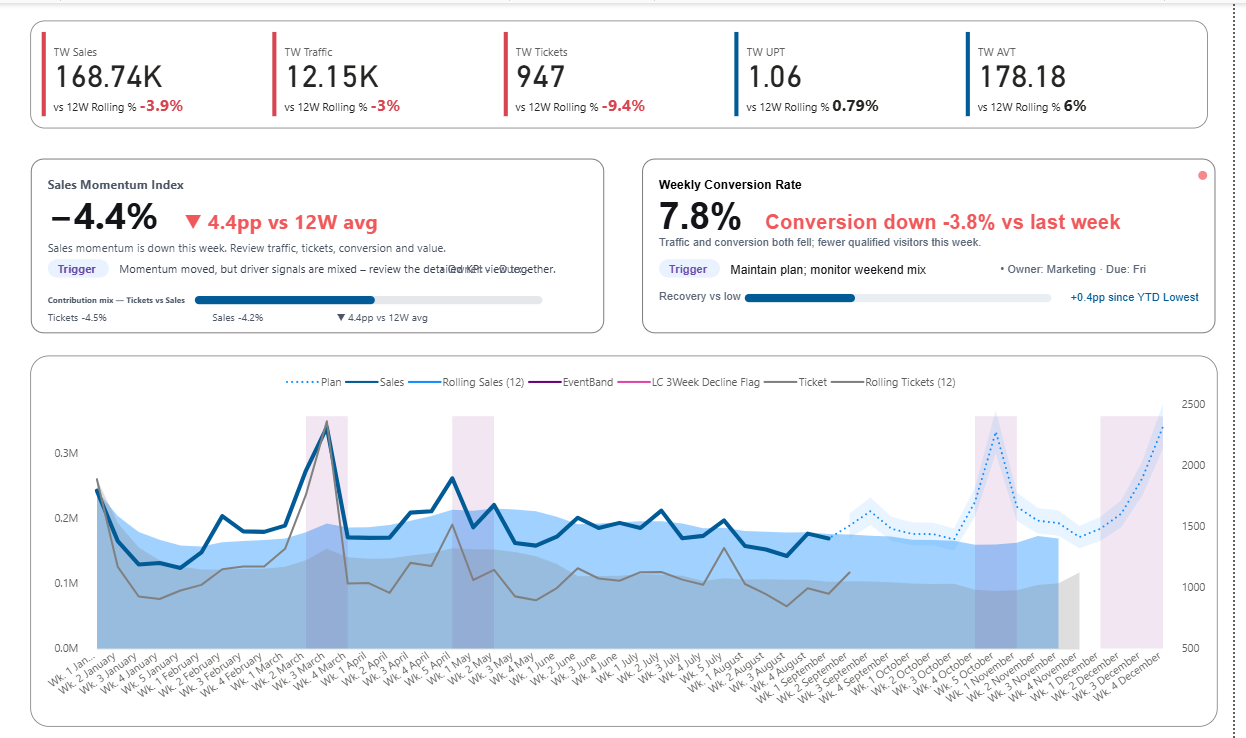
Best when you want a simple way to track KPI movement, compare status, and make performance easier to understand at a glance.
Best for executive reporting
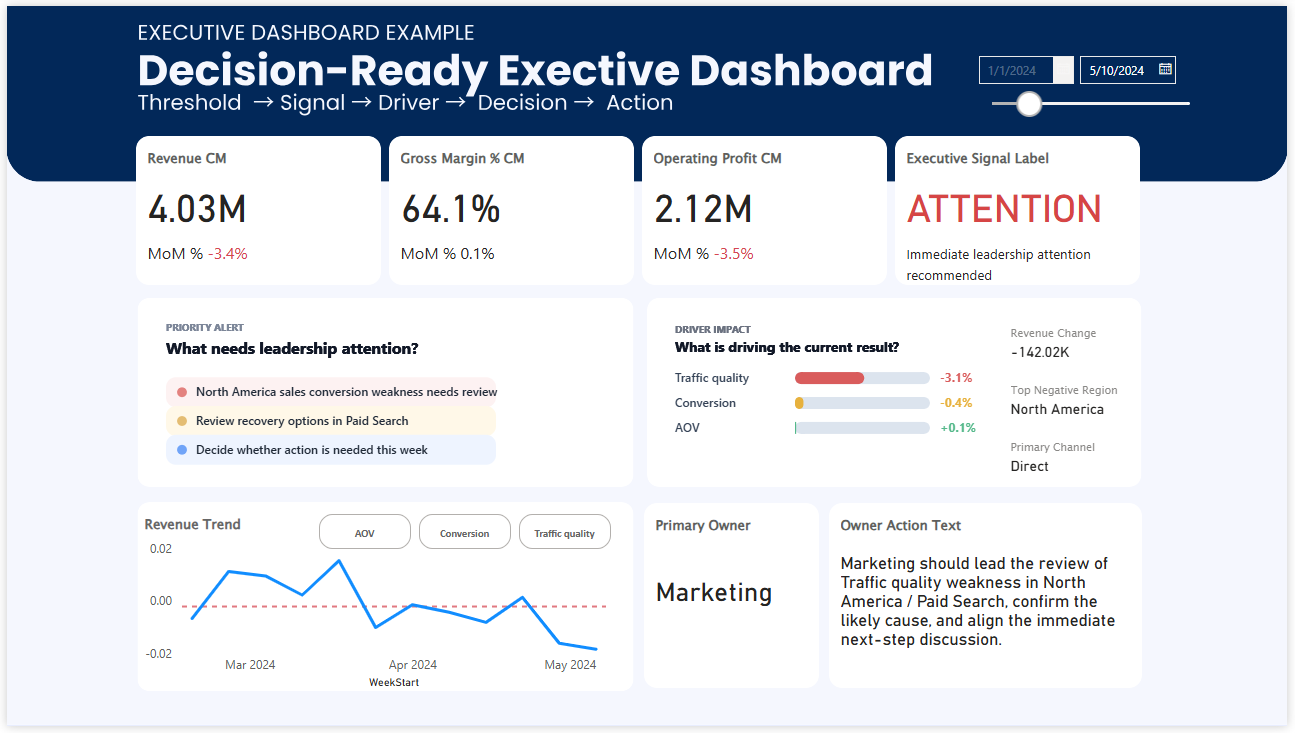
Executive Dashboard Template
Best when leaders need fewer details, stronger prioritization, and a clearer view of what needs attention first.
Compare Power BI templates by how they work in real business use
A Power BI dashboard template can look professional and still be hard to use when people need to discuss performance quickly. These examples show the difference between visual complexity, clean reporting, and a dashboard layout built for focused review.
Busy visual-first dashboard
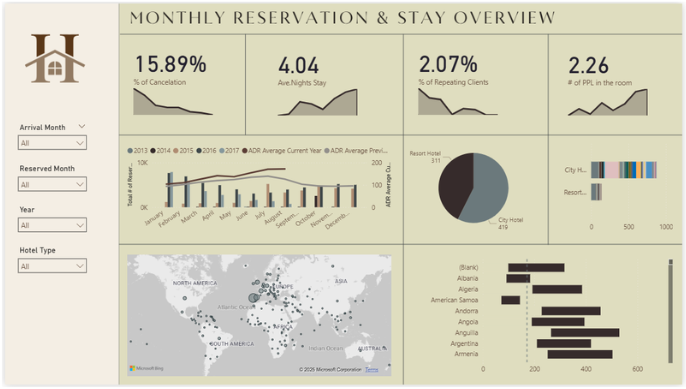
Many KPI cards, many charts, many colors. It may look active, but it often asks the viewer to do more interpretation work during the meeting.
Cleaner KPI dashboard
Easier to scan and easier to present. A useful step forward when you want a neater reporting layout without too much visual noise.
Meeting-ready dashboard template
A stronger option when you want KPI condition, recent movement, and business discussion to feel connected in one screen.
Why this template feels easier to use
Designed for the moment when people actually discuss performance
In practice, people are not just looking for a prettier Power BI dashboard. They usually want a layout that is easier to scan, easier to explain, and easier to use when a team is sitting together trying to understand what changed.
- Top-line sales movement is easier to scan quickly
- KPI condition becomes more readable at a glance
- The dashboard is easier to present in weekly review
- The layout reduces repetitive explanation work
- Important signals are harder to miss during the meeting
Why many Power BI templates still feel hard to use
A template can look professional and still create friction. The usual problem is not a lack of charts. It is that the page asks too much from the viewer before the meeting can move forward.
Too many equal signals
When every KPI looks equally important, it becomes harder to know where to look first.
Too much explanation work
The presenter ends up doing too much of the dashboard’s job live in the meeting.
Good-looking but hard to review
Some templates are visually polished but still awkward when the discussion needs to move quickly.
Browse by what you need from the template
Some visitors want visual inspiration. Others want a Power BI template they can actually use in sales reviews, KPI meetings, executive updates, or weekly performance discussions. This page focuses on templates that are easier to use when other people need to understand the dashboard quickly.
If you are mainly browsing examples
- Compare more Power BI dashboard layouts
- See different dashboard styles
- Review KPI and executive examples
- Use examples for design inspiration
If you want a template for real business use
- See a live preview before choosing
- Use a cleaner weekly review layout
- Reduce reporting noise in meetings
- Move faster from KPI review to discussion